

This Wispr Flow review covers what the AI dictation app does, what it costs in 2026, how it handles privacy, and who it is worth it for. In short: Wispr Flow turns speech into polished text in almost any app on Mac, Windows, iPhone and Android. There is a free plan with a weekly word limit, and Pro costs $15 per user per month on monthly billing or $12 on annual billing as of November 2026.
It is aimed at people who write a lot: business owners answering email, agency teams writing client updates, sales reps logging notes, and anyone who thinks faster than they type.
What Is Wispr Flow?
Wispr Flow is an AI voice-to-text app. According to its website, it “turns speech into clear, polished writing in every app.” Instead of dictating word for word, you speak naturally and Flow cleans up the result: filler words, repeated words and rambling sentences are turned into readable text.
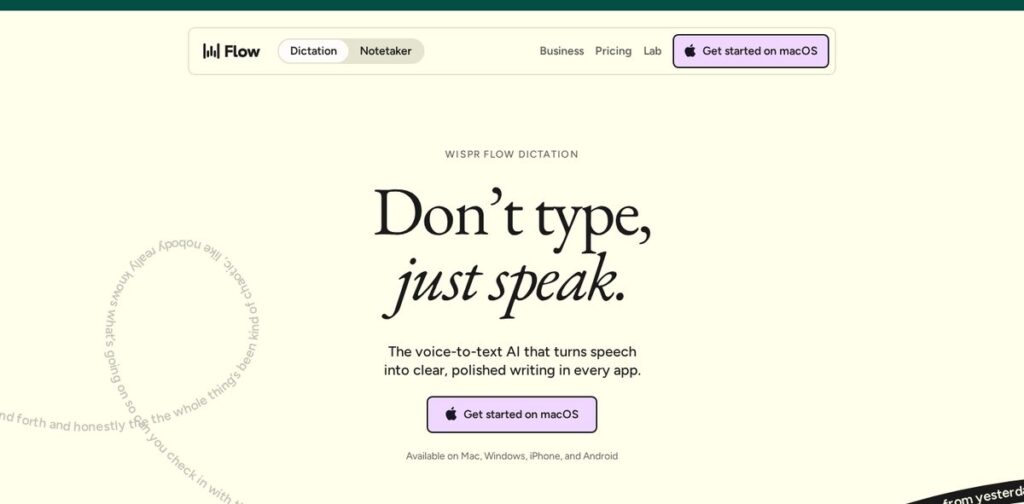
The company now has two products under the Flow name:
- Wispr Flow Dictation for Mac, Windows, iOS and Android.
- Wispr Flow Notetaker for meetings and voice memos, currently available on Mac and Windows.
Wispr Flow Features
Based on the Wispr Flow pricing and features page, the main features are:
- Speech-to-text in any app, in 100+ languages.
- Learns your names and jargon, so product names, client names and industry terms come out right more often.
- Dictionary and snippets for words and phrases you use repeatedly; teams can share them on paid plans.
- Notetaker that records meetings and voice memos, identifies speakers and lets you ask questions across your meetings.
- AI tool connections: you can use your meeting notes in Claude, ChatGPT and other AI tools (MCP).
- Team features on paid plans: shared workspace, centralized billing, usage dashboards and admin controls.
Wispr’s homepage claims Flow is “4x faster than typing,” comparing 45 words per minute on a keyboard with 220 on Flow. That is the company’s own comparison, so treat it as a claim rather than a measured result for your team.
Wispr Flow Pricing (November 2026)
These prices were shown on the official pricing page on November 3, 2026. Prices change; check the page before you buy.
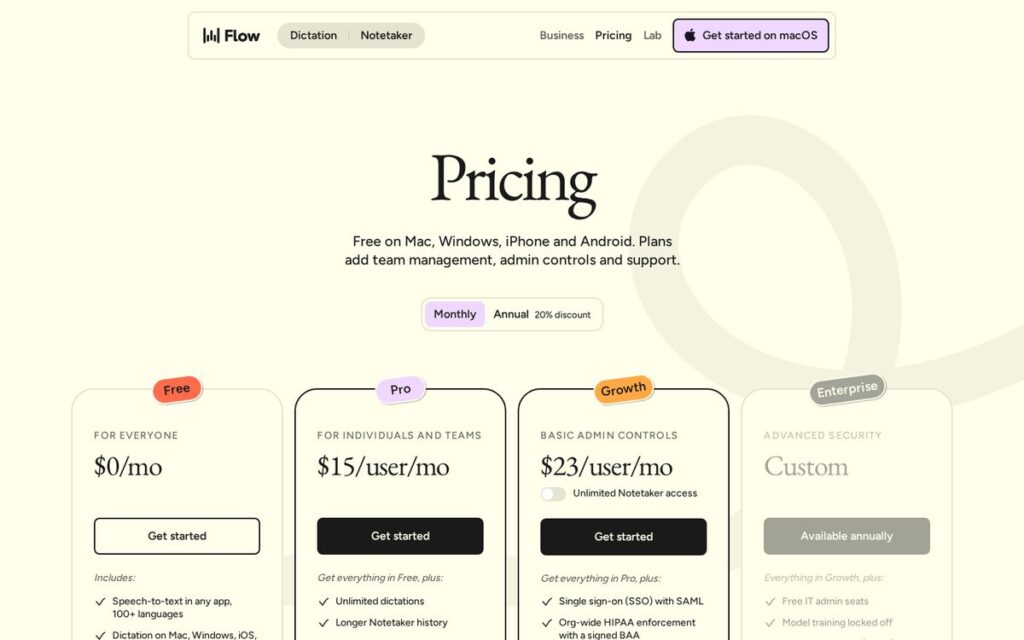
| Plan | Monthly billing | Annual billing | Key limits and features |
|---|---|---|---|
| Free | $0 | $0 | Limited words per week; dictation on all platforms; limited Notetaker |
| Pro | $15/user/mo | $12/user/mo | Unlimited dictation; longer Notetaker history; shared dictionary and snippets; priority support |
| Growth | $23/user/mo | $18/user/mo | Everything in Pro plus SSO/SAML, HIPAA enforcement with a signed BAA, admin controls, usage reporting |
| Enterprise | Custom | Custom | SCIM, audit logs, MDM, domain capture, model training locked off, invoicing |
Annual billing is shown with a 20% discount. Notetaker is listed as unlimited on Pro, and as an add-on on Growth and Enterprise, subject to abuse limits.
Affiliate link — we may earn a commission.
Is Wispr Flow Safe? Privacy and Security
For business use, privacy is often the deciding factor. The pricing page states:
- Wispr is SOC 2 Type II and ISO 27001 certified.
- Dictation can be HIPAA-ready with a signed BAA (Notetaker and Scratchpad are disabled on BAA accounts).
- You can opt out of model training at any time and choose what stays on your device.
- Data-sharing preferences and data storage and retention controls are available, with organization-wide enforcement on Enterprise.
If you handle sensitive client information, read Wispr’s Trust Center and your own compliance requirements before rolling it out to a team. Certifications describe the vendor’s controls; how your team uses the tool still matters.
Wispr Flow Pros and Cons
Pros
- Works across apps instead of only inside one editor.
- Available on all four major platforms.
- Free plan lets you try it before paying.
- Cleans up natural speech, which suits email, chat and notes.
- Business-friendly security options and admin controls on higher plans.
Cons
- The free plan has a weekly word limit, so heavy users will need Pro.
- Notetaker is Mac and Windows only for now.
- Dictation is not ideal in open offices or shared spaces.
- Like any AI writing aid, you still need to proofread names, numbers and anything legal or financial.
Wispr Flow vs Built-In Dictation
Mac, Windows, iPhone and Android all include free built-in dictation, so the fair question is what Flow adds. Built-in dictation mostly types what you say, word for word, including the “umms” and restarts. Flow’s pitch is that it rewrites natural speech into finished sentences, learns your vocabulary, and works the same way across every device you use.
If you only dictate a short text now and then, built-in dictation may be enough. If you write long emails, proposals or notes every day, the cleanup and custom dictionary are where Flow can earn its price.
Tips to Get Better Results From Dictation
- Speak in full thoughts, then pause; short bursts are easier to clean up than one long ramble.
- Say punctuation-heavy items, like prices and dates, slowly.
- Add names and acronyms to the dictionary in your first week.
- Use snippets for text you repeat, like your booking link or office address.
- Always reread before sending anything to a client.
Who Is Wispr Flow Best For?
| User | Why it fits |
|---|---|
| Small business owners | Faster replies to email, texts and reviews |
| Agency teams | Client updates, briefs and Slack messages |
| Sales and support | Call notes and CRM updates |
| Content creators | First drafts of scripts, posts and outlines |
| Teams with compliance needs | Growth and Enterprise admin and HIPAA options |
If your team spends time on follow-up messages and CRM notes, dictation can pair well with automation. Our article on how much time HighLevel automation can save and our list of the best digital marketing tools for small businesses cover the rest of that workflow.
How to Get Started With Wispr Flow
- Download the app for your device from the Wispr Flow website.
- Start on the free plan and use it for your normal email and messaging for a week.
- Add client names, product names and common phrases to your dictionary and snippets.
- Check whether you hit the weekly word limit; if you do, compare Pro monthly vs annual.
- For a team, test on a few people first, then decide on Pro or Growth based on admin and security needs.
Affiliate link — we may earn a commission.
Related guides
- Best AI Tools for Small Business Owners in 2026
- Fireflies AI Review 2026: Features, Pricing, Pros and Cons
- What Is HighLevel? What It Does and Who It Fits (2026)
Wispr Flow Review FAQ
Is Wispr Flow legit?
Yes. Wispr Flow is a real, publicly available product with free and paid plans, and the company lists SOC 2 Type II and ISO 27001 certifications on its pricing page.
Is Wispr Flow still worth it?
It is worth trying if you write a lot every day. The free plan shows whether dictation fits your work; Pro makes sense if you regularly hit the weekly word limit.
Is the app Wispr Flow safe?
Wispr states it is SOC 2 Type II and ISO 27001 certified, offers HIPAA-ready dictation with a signed BAA, and lets users opt out of model training. Review its Trust Center against your own requirements.
Is Wispr Flow free?
There is a free plan with a limited number of words per week. Paid plans start at $15 per user per month on monthly billing, or $12 on annual billing, as of November 2026.
Want to Save More Time on Marketing?
Tools like Wispr Flow save minutes. A solid system saves hours. Get a free marketing audit from ScaleMyClick, or see how our AI automation solutions can take repetitive follow-up off your plate.

