

An AI video generator for business turns a script, prompt, product URL or existing footage into a finished video without a camera crew. The right one depends on the job: avatar presenters for training and explainers (like Synthesia), UGC-style product ads (like Tagshop AI), or simple text-to-video clips for social media. This guide shows how to pick an AI video generator for business in 2026, what each type does well, and what they cost as of November 2026.
It is written for small business owners and agencies who want more video without more production time.
What an AI Video Generator Can Do for Your Business
- Training and onboarding videos with an AI presenter you can update by editing text.
- Product explainers and how-to videos for your website and help center.
- Social ads in UGC style, where an AI avatar talks about or holds your product.
- Multi-language versions of the same video for different markets.
- Personalized sales videos at a scale you could not film by hand.
Types of AI Video Generators
| Type | Best for | Example |
|---|---|---|
| AI avatar / presenter video | Training, explainers, internal comms, multilingual video | Synthesia |
| AI UGC ad generator | Short product ads for TikTok, Reels and Meta | Tagshop AI |
| Text-to-video / prompt-to-clip | B-roll, short social clips, visual concepts | Various general video models |
| AI dubbing and voice | Translating or re-voicing videos you already have | AI voice and dubbing tools |
Many businesses end up using two tools: one for evergreen avatar videos and one for fast-moving ad creative.
How to Choose an AI Video Generator for Business
- Start with the use case. Training video and paid-social ads need different tools.
- Check the output rights. Make sure paid plans let you download and use videos commercially without a watermark.
- Look at the avatars and voices. Do they fit your brand and audience? Can you create a custom or personal avatar?
- Count languages. If you sell in several markets, check translation and dubbing support.
- Understand the credit system. Most tools now sell credits, and different features use them at different rates.
- Test on a free plan or trial first. Make one real video and show it to customers before committing.
Synthesia: Best for AI Avatar Videos
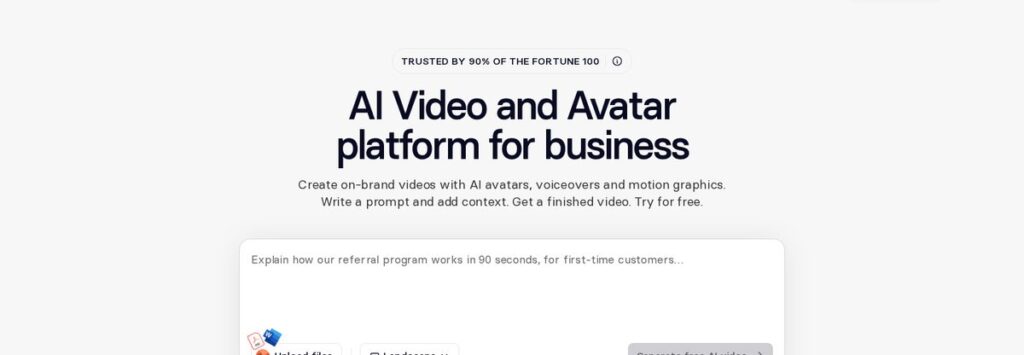
Synthesia describes itself as an AI video and avatar platform for business: you write a prompt or script, add context, and get a finished video with AI avatars, voiceovers and motion graphics. Its pricing page lists 140+ languages and voices, with stock AI avatars on every plan and personal avatars on higher tiers.
| Synthesia plan | Monthly billing | Yearly billing | Included (approx.) |
|---|---|---|---|
| Basic | $0 | $0 | 500 credits/month, about 10 min of video; watermark |
| Starter | $19/month | $14/month ($168/year) | ~12 min/month or ~150 min/year |
| Pro | $89/month | $59/month ($708/year) | ~60 min/month or ~720 min/year; 5 personal avatars |
| Enterprise | Custom | Custom | Unlimited video minutes |
Prices as shown on the Synthesia pricing page in November 2026; the monthly view also showed first-month offers. Prices change; check the official page.
Affiliate link — we may earn a commission.
Tagshop AI: Best for UGC-Style Video Ads
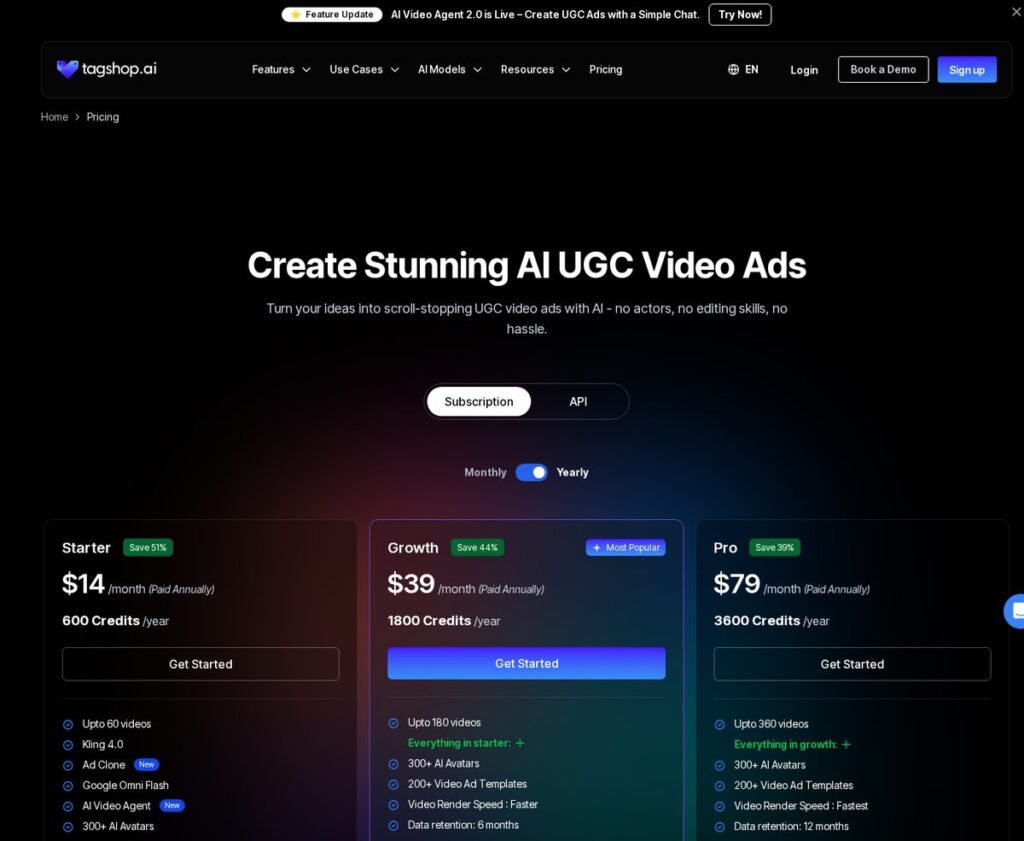
Tagshop AI focuses on UGC-style video ads: it promises scroll-stopping ads “with AI – no actors, no editing skills.” Its pricing page lists 300+ AI avatars, 200+ video ad templates, 75+ languages, URL-to-video, product holding and wearing videos, AI voice cloning and an AI Video Agent you can chat with to create ads.
| Tagshop AI plan | Price (paid annually) | Credits per year | Videos |
|---|---|---|---|
| Starter | $14/month | 600 | Up to 60; 1080p export |
| Growth | $39/month | 1,800 | Up to 180; 4K export |
| Pro | $79/month | 3,600 | Up to 360; 4K export |
Prices as shown on the Tagshop AI pricing page in November 2026 with annual billing; the page also showed a limited-time offer on yearly plans. Check current pricing on the official site, including monthly billing.
Affiliate link — we may earn a commission.
Synthesia vs Tagshop AI: Which Fits Your Business?
| Synthesia | Tagshop AI | |
|---|---|---|
| Main use | Training, explainers, internal and multilingual video | Product and UGC-style ads |
| Free option | Free Basic plan | Check the site for trial options |
| Entry price | $19/month monthly, $14/month yearly | $14/month paid annually |
| Languages | 140+ | 75+ |
| Strength | Avatar presenters and translation | Ad templates, product videos, URL-to-video |
A Simple Workflow for Your First AI Video
- Choose one goal, such as explaining your most-requested service or promoting one product.
- Write a 60–90 second script with a clear hook, three key points and one call to action.
- Generate a first draft on a free plan or trial, using a template close to your brand.
- Swap in your logo, colors and real product images where the tool allows.
- Add captions and check every name, price and claim against your website.
- Publish it in one place, measure the response for two weeks, then decide which plan you need.
This keeps your first test small and cheap. If the video helps, you will know which features and how many credits you actually need before you pay for a bigger plan.
When Real Footage Still Wins
AI video is not the answer for everything. Customers who are choosing a contractor, clinic or restaurant often want to see the real people, place and work. Use AI video for explainers, training and ad testing, and keep real photos and footage for your team, location, before-and-after results and genuine customer reviews.
Best Practices for Using AI Video in Marketing
- Write the script yourself. AI tools present your message; they should not invent your claims.
- Be accurate about your product. Avoid made-up testimonials or results in AI-generated ads, and follow each ad platform’s policies.
- Keep it short. Lead with the hook in the first few seconds for social video.
- Add captions. Many people watch with the sound off.
- Test variations. Different hooks, avatars and lengths are cheap to make with AI, so test before scaling ad spend.
Voice matters as much as visuals. Our guides to the comparison of AI voice generators (ElevenLabs and alternatives) and creating AI voiceovers with text-to-speech pair well with any of these tools.
Related guides
- Synthesia Pricing 2026: Plans, Minutes and Which to Choose
- Best AI Tools for Small Business Owners in 2026
- ElevenLabs Review 2026: Voice Quality, Cloning, Pricing and Alternatives
AI Video Generator for Business FAQ
How do I generate AI videos for my business?
Pick a tool that matches your use case, write a short script, choose an avatar or template, generate a draft, then edit and add captions and your branding. Start on a free plan or trial and test the result with real customers.
What is the most famous AI video generator?
Several tools are well known, and each leads in a different area. Synthesia is a well-known name for AI avatar video in business, while other tools focus on ads or prompt-to-clip generation.
How can I create a video for my business?
You can film it yourself, hire a videographer, or use an AI video generator. AI tools are fastest for explainers, training and ad variations; real footage still works best for showing your actual team, location and work.
Are AI-generated videos allowed in ads?
Generally yes, but each platform has its own advertising and disclosure policies, and your claims must be truthful. Check the rules for the platforms you advertise on before you launch.
Need Help With Video Marketing?
AI video is a fast way to create more content, but it still needs a strategy. Get a free marketing audit from ScaleMyClick, or see our social media marketing and Google Ads services.

