

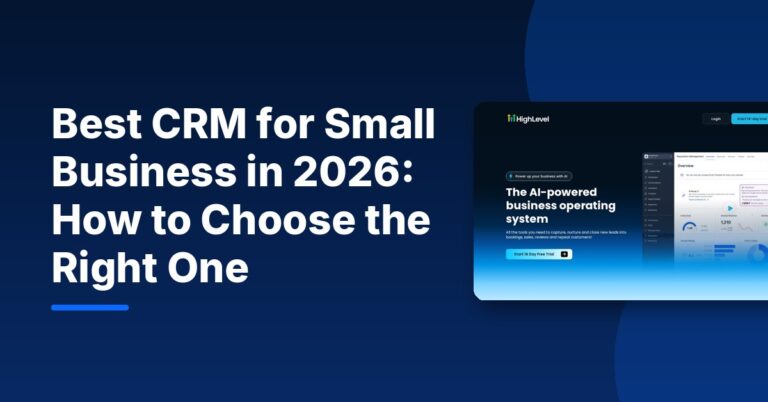
The best CRM for small business is the one your team will actually use every day to follow up with leads and customers. For most small businesses, that narrows the choice to a few strong options: HubSpot if you want a free CRM to start, Pipedrive or Zoho CRM if you run a sales pipeline, Keap if you want CRM plus marketing automation, and HighLevel if you want CRM, texting, booking, funnels and reviews in one place.
Below is how to choose, what each option focuses on according to its own website, and a comparison table. Prices are only listed where read today on the vendor’s pricing page; otherwise, check current pricing.
What a Small Business CRM Should Do
CRM software for small business has one main job: make sure no lead or customer falls through the cracks. In practice, look for these basics:
- Contact and company records with notes, history and tags.
- A visual pipeline that shows every deal or job and its stage.
- Automated follow-up by email and, ideally, text.
- Tasks and reminders so people know what to do next.
- Lead capture from your website forms, calls and ads.
- Simple reporting on leads, deals and revenue.
- A mobile app if you or your team work away from a desk.
Best CRM for Small Business: Comparison Table
| CRM | Best for | Free option | Pricing |
|---|---|---|---|
| HighLevel | All-in-one: CRM, SMS, calls, booking, funnels, reviews | 14-day free trial | Starter $97/Month (as of Nov 2026) |
| HubSpot | Starting free and growing into a larger platform | Free CRM | Check current pricing |
| Pipedrive | Sales teams that live in their pipeline | 14-day free trial | Check current pricing |
| Zoho CRM | Budget-minded sales teams, Zoho app users | Free trial | Check current pricing |
| Keap | CRM plus marketing automation for one business | Demo available | Check current pricing |
| Salesforce Starter | Small businesses that may grow into Salesforce | Start for free option on its site | Check current pricing |
HighLevel price from its pricing page on November 3, 2026. Prices change; check each official pricing page.
1. HighLevel: Best All-in-One CRM for Local Businesses
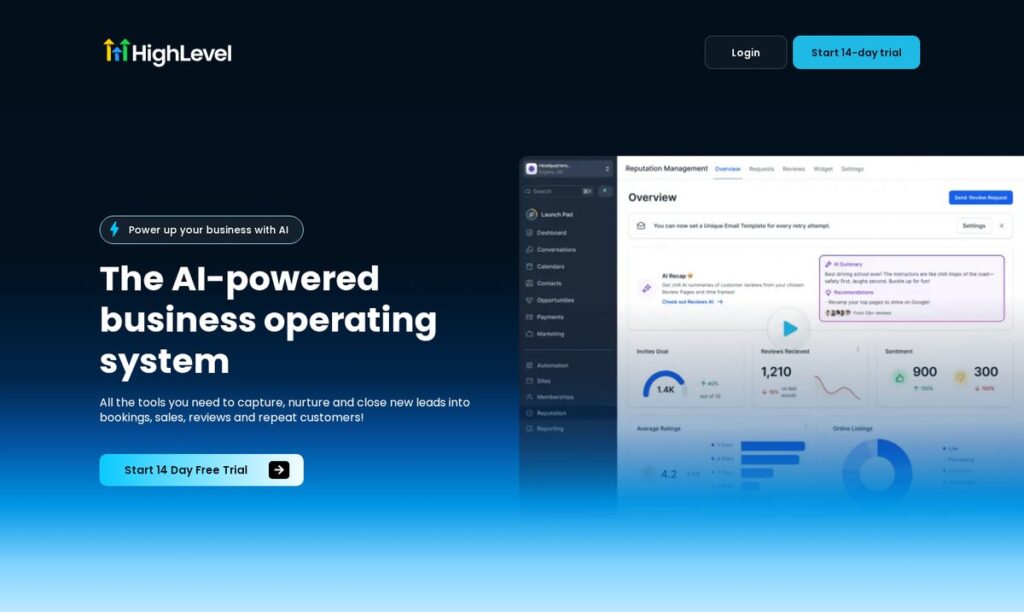
HighLevel combines a CRM and pipelines with two-way texting, calling, a shared inbox, booking calendars, funnels, email, review requests and payments, according to its homepage. As of November 2026 its Starter plan is $97/Month with unlimited contacts and users, plus usage charges for messaging. It is a strong fit for service businesses where speed-to-lead and appointments drive revenue, and for agencies managing clients.
Read our HighLevel review for the full breakdown.
Affiliate link — we may earn a commission.
2. HubSpot: Best Free CRM for Small Business
HubSpot offers a free CRM for small businesses, with paid Marketing, Sales, Service, Content, Data and Revenue Hubs on top. If you want the best CRM for small business that is free to start, HubSpot is the usual first stop. Costs can grow as you add paid seats and Hubs. See our GHL vs HubSpot comparison for how it stacks up against HighLevel.
3. Pipedrive: Best for Sales Pipelines
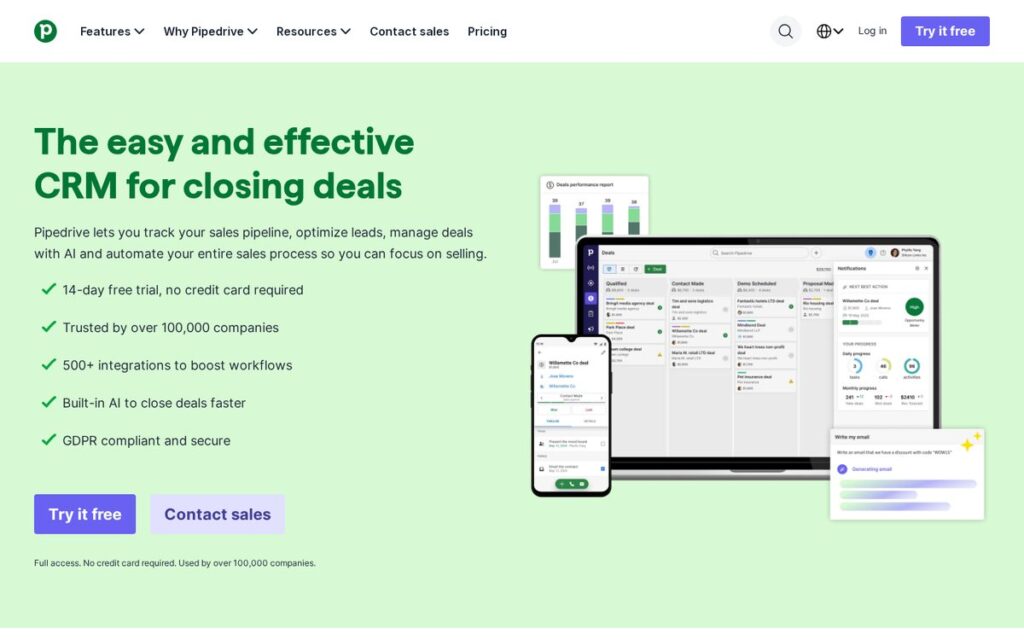
Pipedrive is built around pipeline management, with lead management, sales automation, email sync and tracking, reporting and a mobile CRM app. It suits small sales teams who want a clean, deal-focused tool without funnels or website builders.
4. Zoho CRM: Best for Budget-Conscious Teams
Zoho CRM highlights lead management, sales automation and built-in AI agents, and offers a free trial. It is a natural choice if you already use other Zoho apps for email, books or projects.
5. Keap: Best CRM Plus Automation
Keap (a Thryv brand) pairs a small business CRM with marketing automation, lead capture, landing pages, reporting and a dedicated business phone number for calls and texts. It fits single businesses that want automated follow-up without managing many accounts.
6. Salesforce Starter: Best if You Plan to Scale Into Salesforce
Salesforce describes Starter as built for small businesses, with guided onboarding and no IT team required, and its small business CRM page offers a start-for-free option. It suits businesses that expect to need Salesforce’s wider ecosystem later.
Which CRM Fits Which Kind of Small Business?
| Business type | What matters most | CRMs to shortlist |
|---|---|---|
| Home services, clinics, salons | Fast replies by text and call, booking, reviews | HighLevel, Keap |
| B2B services and consultants | Pipeline visibility, email follow-up, proposals | Pipedrive, HubSpot, Zoho CRM |
| Online sellers and coaches | Email automation, funnels, checkout | HighLevel, HubSpot, Keap |
| Marketing agencies | Separate client accounts, templates, rebilling | HighLevel |
| Fast-growing teams | Room to scale, integrations, admin controls | HubSpot, Salesforce Starter, Zoho CRM |
Use the table to build a shortlist of two, then trial both with the same small list of real leads for one week. The one your team keeps opening without being reminded is usually the right answer.
How to Choose the Right CRM Software for Small Business
- Map your sales process. Write down the stages a lead goes through, from first contact to paid.
- List your channels. If leads call and text, choose a CRM with built-in texting and calling. If they mostly email, an email-focused CRM may be enough.
- Count users and contacts. Per-user pricing adds up fast for teams; some tools include unlimited users.
- Check integrations with your website, accounting software and calendar.
- Trial with real data. Import a small list and run a week of real follow-up.
- Price the full year, including seats, add-ons and messaging usage.
Free vs. Paid CRM: Which Should You Start With?
A free CRM is a good starting point if you are a solo owner or a very small team and mainly need a shared contact list and pipeline. Paid plans become worth it when you need automation, texting, booking, more users or reporting. The bigger cost is usually not the subscription but the leads lost to slow follow-up, so weigh features that speed up response time heavily.
Mistakes to Avoid When Choosing a CRM
- Choosing the CRM with the longest feature list instead of the one your team will use.
- Importing a messy spreadsheet without cleaning duplicates first.
- Skipping automation, so the CRM becomes a place to store contacts instead of a system that follows up.
- Not connecting your website forms, so leads still arrive by email and get missed.
A CRM works best when your website and ads feed it good leads. If that side needs work, see our website design and Google Ads management services, or our guide to digital marketing tools for small businesses.
Affiliate link — we may earn a commission.
Related guides
- Best HighLevel Alternatives for Agencies and Small Businesses
- What Is HighLevel? What It Does and Who It Fits (2026)
- HighLevel vs ClickFunnels: Which Is Better for Small Businesses in 2026?
Best CRM for Small Business FAQ
What is the best CRM for a very small business?
For a solo owner or tiny team, a free CRM such as HubSpot’s is an easy start. If most leads come by phone and text and you book appointments, an all-in-one like HighLevel may fit better.
Will CRM be replaced by AI?
AI features are being added to CRMs rather than replacing them. HubSpot, Zoho and HighLevel all promote AI features on their sites, but a CRM is still the record of your customers that those AI tools work from.
Can I build a CRM in Excel?
You can track contacts in a spreadsheet, but it will not send follow-ups, remind your team or log conversations automatically. Most businesses outgrow it once leads come from more than one channel.
What is the best free CRM for small business?
HubSpot offers a free CRM for small businesses, and Zoho CRM offers a free trial. Compare the limits of each free option against your team size.
Need Help Choosing or Setting Up a CRM?
ScaleMyClick helps small businesses pick, set up and automate their CRM. Get a free marketing audit and we will recommend the CRM and follow-up setup that fits your sales process.

