

The HighLevel free trial lasts 14 days and is available on any plan, according to HighLevel’s official pricing page (as of November 2026). During the trial you get full access to the features of the tier you choose, so you can set up your account, build funnels and test automations before you pay. The trick is using those 14 days on the setup that will actually tell you whether HighLevel fits.
This guide explains how the trial works, which plan to trial, and a day-by-day plan for what to build first.
How the HighLevel Free Trial Works
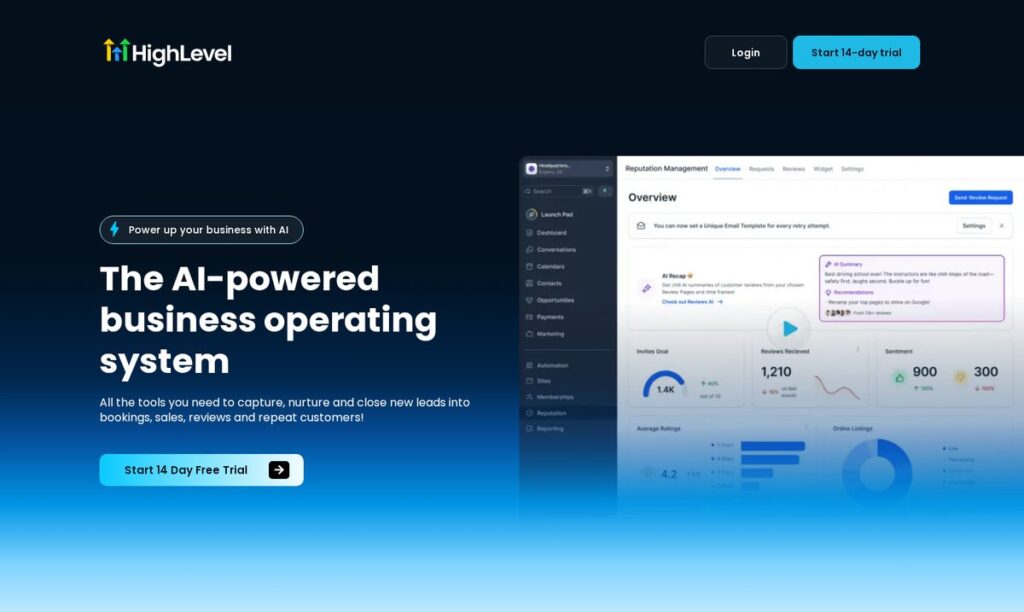
- Length: 14 days, per the pricing page and homepage.
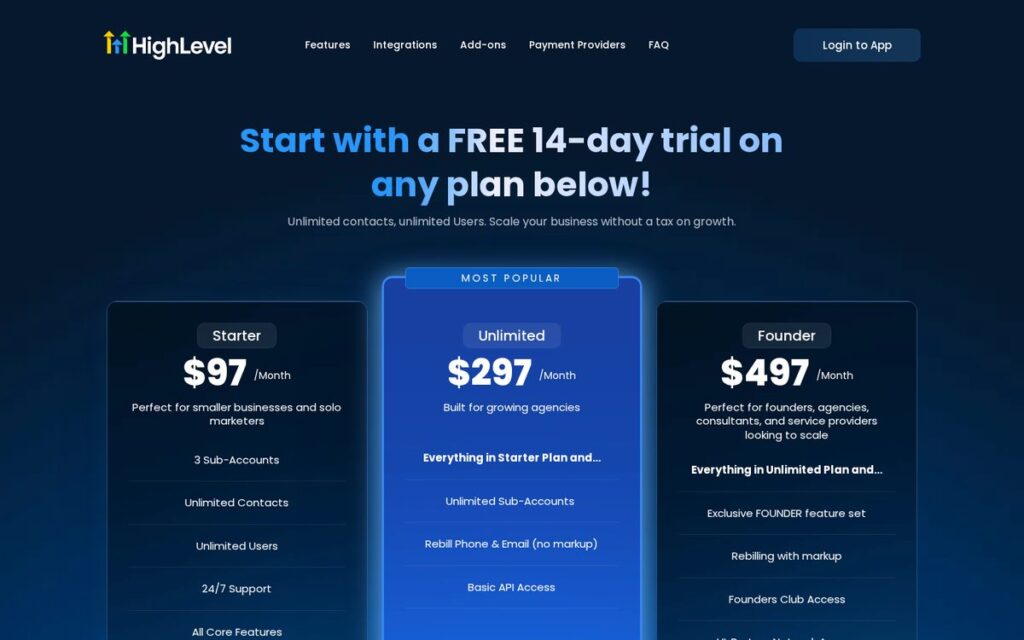
- Plans: the trial is offered on Starter ($97/Month), Unlimited ($297/Month) and Founder ($497/Month), as listed on November 3, 2026.
- Access: HighLevel’s FAQ says you get full access to the features of your chosen tier.
- Sign-up: the trial form asks about your business first, then for trial details.
- After the trial: plans are month-to-month with no long-term contract, and HighLevel says you can upgrade, downgrade or cancel from your dashboard.
Usage-based services such as phone, SMS, email and some AI features are billed separately from the plan through a prepaid wallet, as explained in the HighLevel Pricing Guide. Read the billing terms on the sign-up screen and check your wallet settings early so there are no surprises. Prices change; check the official pricing page.
Affiliate link — we may earn a commission.
Which Plan Should You Trial?
| Your situation | Plan to trial | Why |
|---|---|---|
| One business or location | Starter | Includes up to 3 sub-accounts, unlimited contacts and users |
| Agency with more than 3 clients | Unlimited | Unlimited sub-accounts and rebilling of phone and email at cost |
| Agency planning to resell HighLevel | Founder | Rebilling with markup and the Founder feature set |
Because the trial covers the features of the tier you pick, trial the plan you expect to keep. Testing Starter when you really need Unlimited hides the agency features you are trying to evaluate.
What to Set Up First: A 14-Day Plan
Days 1–2: Foundation
- Fill in your business profile, time zone and logo.
- Then connect your domain for email sending and funnels.
- Add your team as users (unlimited on every plan).
- Set up a phone number if calls and texts are part of your sales process.
Days 3–4: Contacts and pipeline
- Import a small, clean list of real contacts.
- Create one pipeline whose stages match how you actually sell (for example: New lead, Contacted, Booked, Won, Lost).
- Add a few tags you will use for segmenting.
Days 5–7: Capture and booking
- Build one lead form or landing page.
- Create one booking calendar with reminders.
- Connect the form so new submissions land in the pipeline automatically.
Days 8–10: Follow-up automation
Build one workflow: when a form is submitted, add a tag, create the opportunity in the pipeline, send a confirmation text and email, and assign a task to a team member. HighLevel’s introduction to workflows explains triggers and actions if you are new to automation.
Days 11–12: Reviews and reporting
- Turn on automated review requests after a won deal or completed appointment.
- Check the dashboard to see leads, appointments and pipeline value in one place.
Days 13–14: Decide
- Did a real lead go from form to booked appointment without manual work?
- Did your team actually log in and use it?
- Also, what will usage cost at your real message volume?
- Do you need more sub-accounts than your plan includes?
Free Trial Checklist for Agencies vs. Local Businesses
What you test should depend on how you plan to use HighLevel. That is because the two most common trial users have very different priorities.
| Test this during the trial | Agency | Local business |
|---|---|---|
| Create a second sub-account and load a snapshot into it | Yes, essential | Optional |
| Connect a business phone number and test missed call text-back | Useful for clients | Yes, essential |
| Build a booking calendar with reminders | Yes | Yes, essential |
| Set up review requests after a completed job | Yes | Yes |
| Check rebilling settings for client usage | Yes, on Unlimited or Founder | Not needed |
| Invite a client or team member and check their permissions | Yes | Yes |
If you run an agency
Build one complete client setup in a sub-account, then create a snapshot from it and load it into a second sub-account. Time how long it takes to get the second client to a working form, pipeline and follow-up. That number tells you how HighLevel will scale with your client list.
If you run a local business
Focus on the first five minutes after a lead arrives. Submit your own form, call your new number and miss the call on purpose, then watch what the lead receives. If the follow-up is fast and correct, the core of the platform is working for you.
What Happens When the Trial Ends?
HighLevel’s pricing FAQ describes paid plans as month-to-month with no long-term contract, so check the billing page in your account to confirm when your first plan charge is due and cancel before then if HighLevel is not a fit. Your setup stays in place, so the work you did during the trial carries over. If you need a different tier, you can upgrade or downgrade from the dashboard.
Tips to Get More Out of the Trial
- Use real leads. A test with your own email address will not show how fast your follow-up really is.
- Build one thing fully instead of starting ten things halfway.
- Try a snapshot if you are an agency. The Snapshots overview explains how to copy a configured sub-account, so you can see how fast a second client could be onboarded.
- Note your usage. Check the wallet and transaction history in the billing settings to estimate monthly costs.
- Put a reminder on day 12 so you decide before the trial ends, not after.
About “Extended” HighLevel Trials
You will see blog posts and videos advertising longer HighLevel trials. HighLevel’s own pricing page lists a 14-day free trial. If you come across a longer offer, confirm it on a gohighlevel.com page before you rely on it, and read the terms on the sign-up screen.
Common Free Trial Mistakes
- Spending the whole trial watching tutorials instead of building one working funnel.
- Importing an old, unverified contact list and sending messages to people who did not opt in.
- Ignoring usage costs until the first invoice.
- Trialing a plan lower than the one you actually need.
If you want to see what automation can save once it is running, read how much time HighLevel automation can save you, and our HighLevel review for the bigger picture.
Affiliate link — we may earn a commission.
Related guides
- What Is HighLevel? What It Does and Who It Fits (2026)
- HighLevel Pricing 2026: Plans, Usage Costs and Which One to Pick
- HighLevel vs ClickFunnels: Which Is Better for Small Businesses in 2026?
HighLevel Free Trial FAQ
How long is the HighLevel free trial?
14 days, according to HighLevel’s official pricing page and homepage as of November 2026.
Is there a free version of HighLevel?
HighLevel does not list a free plan on its pricing page. The 14-day free trial is the way to use it without paying a plan fee first.
Can I cancel during the trial?
HighLevel says plans are month-to-month and can be cancelled from the dashboard at any time. Cancel before the trial ends if you decide not to continue.
What should I build during the trial?
One complete path: a lead form, a pipeline, a booking calendar and one follow-up workflow. That shows how HighLevel handles a real lead from start to finish.
Want Help Setting Up Your Trial?
A trial is only useful if the setup is right. ScaleMyClick builds lead capture, follow-up and AI automation for small businesses. Get a free marketing audit and we will tell you what to build first for your business.

