

Want to know how to get leads on LinkedIn without paying for ads or tools? The short version: turn your profile into a landing page, post useful content on a steady schedule, connect with a focused list of the right people, and start real conversations instead of pitching. Everything in this guide uses free LinkedIn features, and you can set it up in an afternoon.
LinkedIn lead generation works best for B2B service businesses, consultants, agencies and local companies that sell to other businesses. If your buyers have job titles, they are probably on LinkedIn. Below is a step-by-step process, plus the free-account limits you should know before you start.
How to Get Leads on LinkedIn for Free: The 7-Step Process
Here is the full process at a glance. Each step is explained in detail below.
- Pick one ideal customer and one offer.
- Rewrite your profile so it speaks to that customer.
- Use the Featured section as your lead magnet shelf.
- Create a free LinkedIn Company Page.
- Post helpful content two to four times a week.
- Send a small number of targeted connection requests.
- Move warm conversations to a call or a form.
Step 1: Pick one ideal customer and one offer
Generic profiles attract generic attention. Before you touch LinkedIn, write one sentence: who you help, what problem you solve, and what the first step looks like. For example, “I help HVAC companies in Florida fill their schedule with Google Ads — start with a free account review.” That sentence will shape your headline, your posts and your messages.
Step 2: Rewrite your profile as a landing page
When someone sees your comment or connection request, the first thing they do is click your profile. Treat it like a sales page:
- Headline: say who you help and the result, not just your job title.
- Banner image: one line about your offer and a clear next step.
- About section: open with the customer’s problem, explain how you solve it, and end with how to contact you.
- Experience: describe outcomes and services in plain words, without hype or made-up numbers.
- Contact info: add your website and a booking link.
Step 3: Use the Featured section as your lead magnet shelf
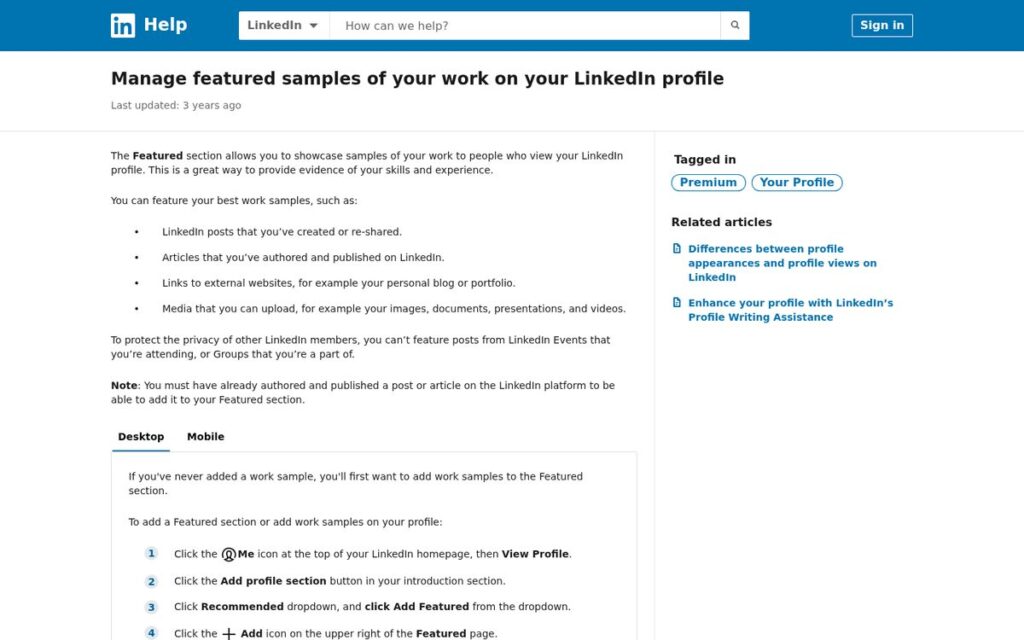
LinkedIn’s Featured section lets you pin your best work at the top of your profile. According to LinkedIn Help, you can feature posts you’ve created or re-shared, articles you’ve published on LinkedIn, links to external websites, and uploaded media such as images, documents, presentations and videos.
That makes it the perfect spot for a free checklist, a short case-study style breakdown (without invented results), a pricing guide or a booking page. Every profile visitor sees it without scrolling far.
Step 4: Create a free LinkedIn Company Page
Your personal profile will do most of the work, but a Company Page adds credibility. LinkedIn says you can create a Page for free and use it to post updates, view audience analytics and add a call to action. Link your profile’s experience entry to the Page so visitors can see the business behind you.
Step 5: Post helpful content two to four times a week
Content is what brings people to you, so you are not relying only on outreach. Good formats for lead generation include:
- Short how-to posts that solve one small problem.
- Mistakes you see in your industry and how to fix them.
- Simple frameworks or checklists (a carousel or document post works well).
- Answers to questions prospects ask on sales calls.
- Behind-the-scenes posts about how you deliver your service.
End some posts with a soft call to action, such as “Comment CHECKLIST and I’ll send it over.” Each comment is a warm lead you can message. If you want ideas for tools that speed up content creation, see our list of the best digital marketing tools for small businesses.
Step 6: Send a small number of targeted connection requests
Use LinkedIn’s free search with filters like location, industry and current company to find people who match your ideal customer. Then connect with a short, personal note that explains why you’re reaching out. Keep it about them, not your offer.
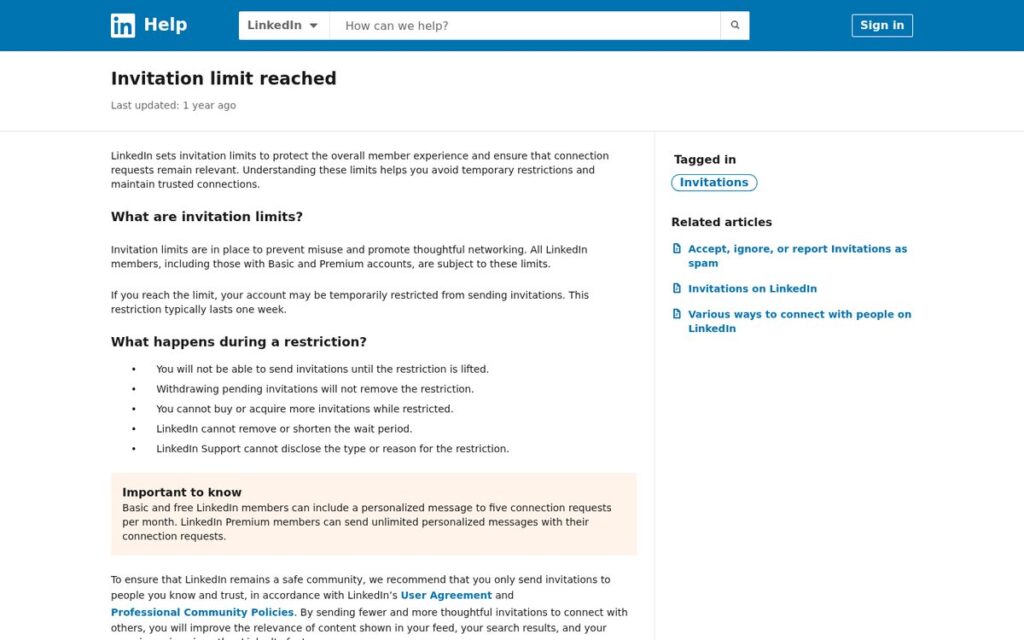
Be selective. LinkedIn sets invitation limits for all members, Basic and Premium alike, and if you hit the limit your account may be restricted from sending invitations, which LinkedIn says typically lasts one week. Quality beats volume here.
Step 7: Move warm conversations to a call or a form
When someone replies, comments on your posts or accepts your request, start a real conversation. Ask a question about their business, share something useful, and only suggest a call once there is a clear fit. A simple booking link or a short intake form makes the next step easy.
Free LinkedIn Account Limits to Know
A free account is enough to generate leads, but it helps to know the rules so you don’t hit a wall mid-campaign.
| Feature | Free (Basic) account | What it means for lead generation |
|---|---|---|
| Personalized connection notes | Up to five per month, per LinkedIn Help | Save personal notes for your best prospects; for the rest, engage with their posts first. |
| Invitation limits | Apply to all members | Send fewer, more relevant requests to avoid a temporary restriction. |
| Featured section | Available | Pin your lead magnet, booking page or best post. |
| Company Page | Free to create | Adds credibility and a call-to-action button. |
| Advanced search filters | Limited | Sales Navigator adds 50+ filters (paid). |
If you outgrow free search, LinkedIn Sales Navigator adds advanced search filters, lead insights and CRM integrations. Check current pricing on the official site before you upgrade.
How to Generate Leads on LinkedIn With Comments and Content
Commenting is the most underused free tactic. Find ten to twenty people your buyers follow — industry voices, local business leaders, trade groups — and leave thoughtful comments on their posts. Your comment shows up in front of their audience, and people who like what you said will click your profile.
A simple daily routine looks like this:
- 10 minutes: comment on posts from people your buyers follow.
- 10 minutes: reply to every comment on your own posts.
- 10 minutes: accept new connections and send a short welcome message (no pitch).
- 5 minutes: note warm prospects in a spreadsheet or CRM so you can follow up.
Consistency matters more than volume. Thirty-five focused minutes a day, done for several weeks, builds visibility that compounds.
LinkedIn Lead Generation Messages That Don’t Feel Spammy
Most people ignore LinkedIn messages because they open with a pitch. Try these patterns instead:
- Connection note: “Hi Sam — saw your post about hiring techs for the busy season. I work with home service companies on lead flow and would like to follow your updates.”
- After they accept: “Thanks for connecting. Quick question: is most of your work coming from referrals right now, or from online?”
- After a comment on your post: “Thanks for commenting! Here’s the checklist I mentioned. Happy to walk through it if anything is unclear.”
Notice that none of these ask for a meeting in the first message. Earn the reply first.
Track Your LinkedIn Leads
Leads slip through the cracks when they live only in your LinkedIn inbox. Keep a simple record of each prospect: name, company, where they came from (post, comment, search), last contact date and next step. A spreadsheet works at the start; a CRM with reminders is better once you have more than a few dozen conversations. Our GHL vs HubSpot comparison covers two popular CRM options.
Related guides
- B2B Lead Generation Strategies for Small Teams in 2026
- How to Get Clients for a Digital Marketing Agency
- How to Generate Leads for a Small Business: 15 Proven Ways
How to Get Leads on LinkedIn FAQ
What is the best way to find leads on LinkedIn?
The most reliable free method combines a clear profile, regular helpful posts, and targeted connection requests to people who match your ideal customer. Content brings inbound interest, and outreach fills the gaps.
How much does a lead cost on LinkedIn?
Organic leads cost your time rather than money. If you run LinkedIn ads, cost depends on your audience, bid and offer, so there is no single price. Check LinkedIn’s official advertising pages for current details.
What is the 4-1-1 rule on LinkedIn?
The 4-1-1 rule is a content guideline, not an official LinkedIn rule: for every six posts, share four pieces of useful content from others or about your industry, one original post of your own, and one promotional post. It keeps your feed helpful rather than salesy.
Can you get clients on LinkedIn without paying?
Yes. Free accounts can post, comment, search, connect and message connections. Paid tools like Sales Navigator add filters and insights, but they are optional when you are starting out.
Turn LinkedIn Conversations Into Customers
LinkedIn can bring the conversations, but your website, follow-up and offer have to close them. If you want a second set of eyes on your funnel, get a free marketing audit from ScaleMyClick. We can also help with social media marketing so your LinkedIn presence keeps working while you run the business.

