

To repurpose content across platforms, start with one strong core piece (a video, podcast episode, webinar or blog post), then cut it into smaller formats built for each channel: short clips, carousels, quotes, emails and posts. Plan the pieces before you create the original, and use automation to publish the repeats. That is how to repurpose content without adding extra hours to your week.
This guide gives small businesses and agencies a simple repurposing system, a channel-by-channel cheat sheet, and the tools that handle the busywork.
What Does Repurposing Content Mean?
Repurposing content means taking something you already made and turning it into new formats for other platforms or audiences. A 20-minute customer Q&A video, for example, can become several short clips, a blog post, an email, a few quote graphics and a LinkedIn post.
It is not copying and pasting the same post everywhere. Each platform has its own format, length and audience habits, so good repurposing adapts the idea to the place.
Why Repurposing Content Works for Small Businesses
- More reach from the same effort. People who never watch your YouTube videos may read your emails or scroll your Instagram.
- Consistency. One core piece a week can fill a full calendar.
- Better ideas win twice. When a topic performs well, you can reuse it in a new format.
- Less pressure to invent new topics every day.
How to Repurpose Content: A 6-Step System
- Pick one core format. Choose the format you can produce most easily: a weekly video, a podcast, a live stream or a long blog post.
- Plan the cut-downs before you record. Outline three to five clear points, each strong enough to stand alone as a short clip or post.
- Create the core piece. Record or write it once, with good audio and clear sections.
- Break it into channel-sized pieces. Clip the key moments, pull quotes, turn sections into carousels, and summarize it for email.
- Adapt for each platform. Change the hook, length, aspect ratio and caption so each piece feels native.
- Automate distribution and track results. Use scheduling and repurposing tools to publish, then note which topics perform best.
Example: One Video, Ten Pieces of Content
Here is how a local HVAC company could repurpose one 15-minute video called “5 Signs Your AC Needs Service Before Summer”:
- The full video on YouTube.
- Five vertical clips, one per sign, for Reels, TikTok and Shorts.
- A blog post that expands each sign, with the video embedded.
- A carousel with one sign per slide for Instagram and LinkedIn.
- An email to past customers with a booking link.
- A Google Business Profile post with one tip and a photo.
- Two quote graphics with the most useful lines.
- A short FAQ section added to the AC repair service page.
- A Facebook post asking followers which sign they have noticed.
- A pinned comment or story linking back to the full video.
None of these pieces needs a new idea. They all come from one planned recording.
Content Repurposing Cheat Sheet by Platform
| Start with | Turn it into | Best platforms |
|---|---|---|
| Long video or webinar | Vertical clips, YouTube Shorts, audiogram | TikTok, Instagram Reels, YouTube Shorts, Facebook Reels |
| Podcast episode | Audio clips, show notes, blog post, quote cards | YouTube, blog, LinkedIn, Instagram |
| Blog post | Carousel, email, thread, short video script | Instagram, LinkedIn, email list, X |
| Customer review | Quote graphic, short testimonial clip | Facebook, Instagram, Google Business Profile |
| Live Q&A | FAQ page, short answers as Reels | Website, Instagram, TikTok |
If you want help turning one shoot into a month of posts, our social media marketing team does exactly this for small businesses.
Tools That Make Repurposing Content Faster
You can repurpose by hand with an editing app and a scheduler. Automation tools take over the repetitive steps, like downloading, removing watermarks and re-uploading.
Repurpose.io
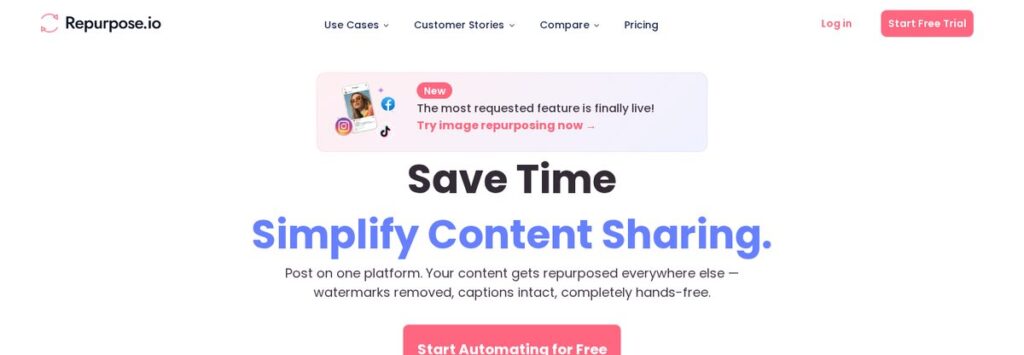
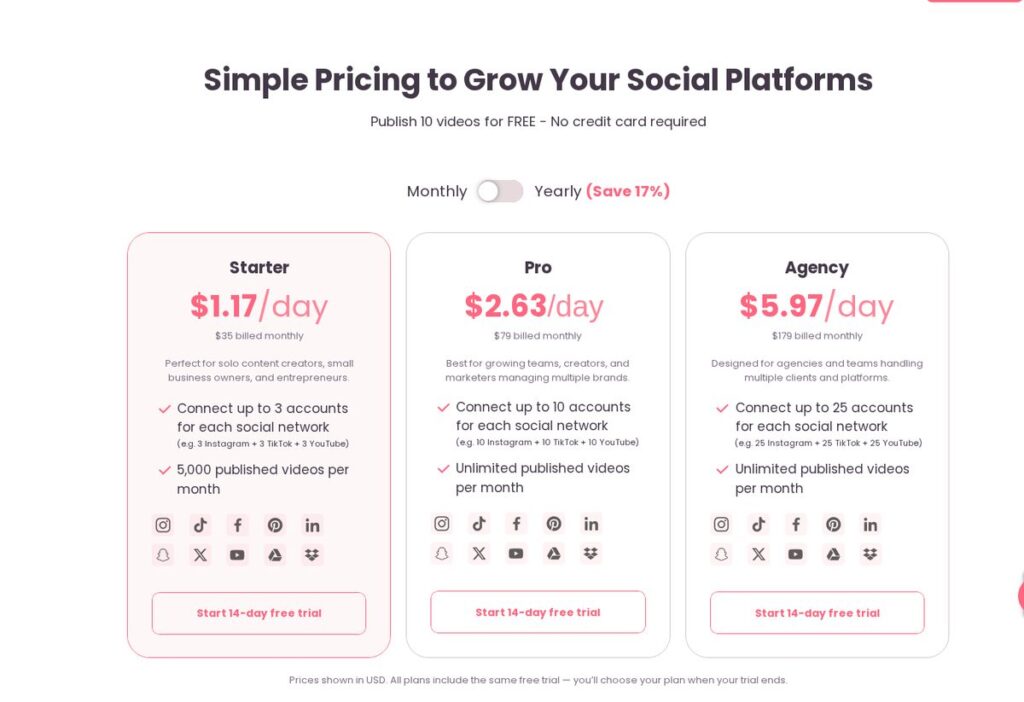
Repurpose.io lets you post on one platform and automatically republish to others, with watermarks removed and captions intact, according to its website. It now also repurposes images, carousels and slideshows across TikTok, Instagram and Facebook, and can sync Stories from Instagram, Facebook and Snapchat. You can publish 10 videos for free with no credit card required.
| Repurpose.io plan | Price (billed monthly) | Accounts per network | Published videos |
|---|---|---|---|
| Starter | $35/month | Up to 3 | 5,000 per month |
| Pro | $79/month | Up to 10 | Unlimited |
| Agency | $179/month | Up to 25 | Unlimited |
Prices shown in USD as of November 2026; yearly billing saves 17% and every plan includes a 14-day free trial. Prices change; check the official Repurpose.io pricing page.
Affiliate link — we may earn a commission.
AI voice and video tools
AI voice tools can turn a blog post into narration for a video or audio version. Our guides on creating AI voiceovers for YouTube and social media and the guide to ElevenLabs for YouTube voiceovers cover that step.
Common Content Repurposing Mistakes
- Posting the exact same caption and format on every platform.
- Leaving another platform’s watermark on a video.
- Cutting clips with no hook in the first few seconds.
- Repurposing weak content; start with your best-performing pieces.
- Forgetting a call to action that fits each platform.
Whatever tool you use, keep a human check in the loop. Read captions before they go live, confirm each clip makes sense on its own, and make sure the call to action points to the right page or offer for that platform.
A Simple Weekly Repurposing Schedule
| Day | Task |
|---|---|
| Monday | Record or write the core piece |
| Tuesday | Cut 3–5 short clips and write captions |
| Wednesday | Turn key points into a carousel and quote graphics |
| Thursday | Write the email and blog summary |
| Friday | Schedule everything and review last week’s results |
Once this rhythm is set up, most of the work happens on one or two days, and automation handles the rest.
Affiliate link — we may earn a commission.
How to Measure What Works
Repurposing gets smarter when you track results. Each week, check which clips earned the most views, saves and shares, which emails got clicks, and which posts led to calls or form fills. Then make more of the topics that win and drop the formats that never land. A simple spreadsheet with topic, format, platform and result is enough to start.
Related guides
- ChatGPT Prompts for Marketing: 40 Prompts Small Businesses Can Use
- AI Video Generator for Business: How to Pick One in 2026
- How to Generate Leads for a Small Business: 15 Proven Ways
How to Repurpose Content FAQ
What does repurpose content mean?
It means reusing an existing piece of content in a new format for another platform or audience, such as turning a webinar into short clips, a blog post and an email.
How much does Repurpose.io cost per month?
As of November 2026, Repurpose.io plans are $35/month (Starter), $79/month (Pro) and $179/month (Agency) on monthly billing, with 17% off yearly and a 14-day free trial. Prices change, so check the pricing page.
What are good strategies for repurposing content?
Start with one strong core piece each week, plan the clips before recording, adapt each piece to the platform’s format, and automate publishing. Reuse the topics that perform best.
Is repurposed content bad for SEO?
Not when you adapt it. Turning a video into an original blog post or FAQ page adds value. Publishing identical text on several websites is what to avoid.
Get More From Every Piece of Content
Want a content system that runs without eating your week? Get a free marketing audit from ScaleMyClick, and we will show you where repurposing and automation can save the most time.

