

The fastest way to reduce no-show rates is to make showing up easy and forgetting hard: confirm every booking instantly, send reminders by text and email before the appointment, let people reschedule in one click, and follow up the same day when someone misses. Those four habits fix most no-show problems, and the other eight fixes below tighten things further.
No-shows cost service businesses real money: an empty chair, a technician sitting in the truck, a consultant waiting on a call that never starts. Whether you run a dental office, a med spa, a home service company or an agency booking sales calls, the fixes are similar.
Why People Miss Appointments
Before you fix the problem, it helps to know where it comes from. Most missed appointments come down to a few causes:
- They forgot, often because the booking was made days or weeks ago.
- Their plans changed and rescheduling felt like a hassle.
- They were never fully committed (a vague booking or a free consult with no context).
- They were unclear on the time, location or what to bring.
- Nobody followed up, so missing felt like it had no consequence.
Each fix below targets one or more of these causes.
12 Fixes to Reduce No-Show Rates
1. Send an instant booking confirmation
The moment someone books, send a confirmation by email and text with the date, time, address or video link, and what to expect. This removes confusion right away and starts the reminder sequence.
2. Use text message reminders
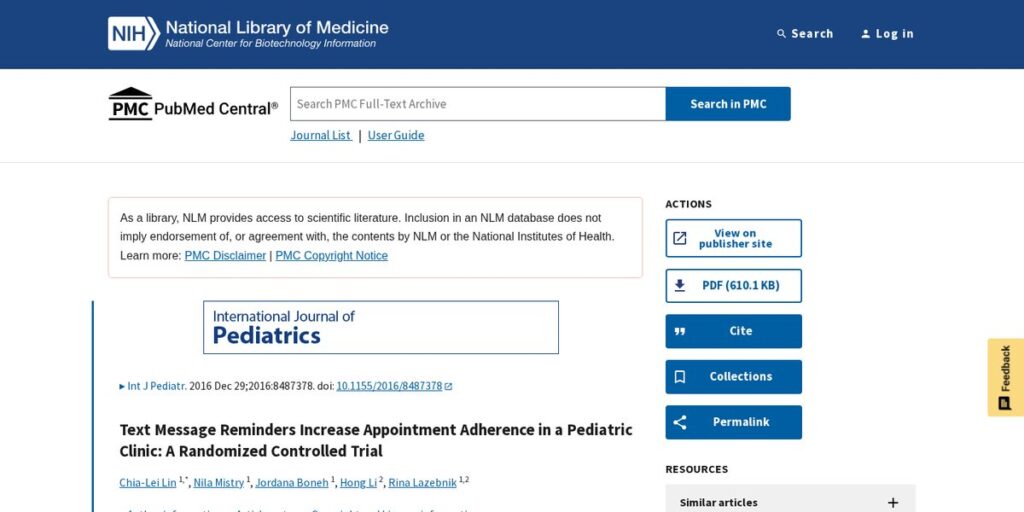
Text reminders are one of the best-studied ways to reduce no-shows. In a randomized controlled trial at a pediatric clinic, patients who got a text reminder in addition to the standard voice reminder had a 23.5% no-show rate, compared with 38.1% in the control group. Results vary by business and audience, but the direction is consistent across studies.
3. Send more than one reminder
One reminder is good; two is often better. A large randomized study at Kaiser Permanente Washington found that, for high-risk primary care visits, an additional text reminder reduced the chance of a no-show by 7% compared with a single reminder. A common pattern is a reminder 24–48 hours before, then another two hours before.
4. Make rescheduling one click
People who can’t make it often just don’t show because calling to reschedule feels awkward. Put a reschedule and cancel link in every reminder. A cancellation you hear about is a slot you can fill; a silent no-show is not.
5. Ask for confirmation
Ask clients to reply “C” to confirm or click a confirm button. Unconfirmed appointments become your watch list for a quick phone call the day before.
6. Shorten the gap between booking and appointment
The longer the wait, the more likely people forget or change plans. Offer the soonest available slots first and open short-notice availability when possible.
7. Set expectations during booking
Tell people exactly how long the appointment takes, what to bring and what happens next. A short prep email or video makes the appointment feel real and important.
8. Use a clear cancellation policy
A simple written policy — for example, asking for 24 hours’ notice — sets expectations. Whether you charge a fee is a business and legal decision; check the rules for your industry and state. This is not legal advice.
9. Take a deposit for high-value bookings
For long or high-value appointments, a small deposit increases commitment. Make sure the policy is clear before payment and easy to find in the confirmation.
10. Follow up the same day after a no-show
Send a friendly “Sorry we missed you — want to rebook?” message within an hour or two. Many no-shows rebook when asked quickly and without blame.
11. Track no-shows by source and type
Measure your no-show rate (missed appointments divided by total booked) by service, lead source, day and time. You may find that certain ad campaigns or time slots cause most of the problem.
12. Keep a waitlist for last-minute openings
When someone cancels, a waitlist lets you fill the slot fast. Even a simple list of clients who want an earlier time can recover lost revenue.
Comparison: Manual Reminders vs Automated Reminders
| Manual (staff calls and texts) | Automated (calendar + CRM) | |
|---|---|---|
| Setup time | None | A few hours to build templates |
| Daily staff time | Grows with every appointment | Minimal once running |
| Consistency | Depends on who is working | Every booking gets the same sequence |
| Reschedule links | Usually not included | Included in each message |
| Reporting | Hard to track | No-show and confirmation status in one place |
How to Automate Appointment Reminder Texts With HighLevel
Doing all of this by hand is hard once you have more than a few appointments a day. A calendar and CRM that sends reminders automatically keeps the process consistent. HighLevel (often searched as GoHighLevel) is one all-in-one option many agencies and service businesses use.
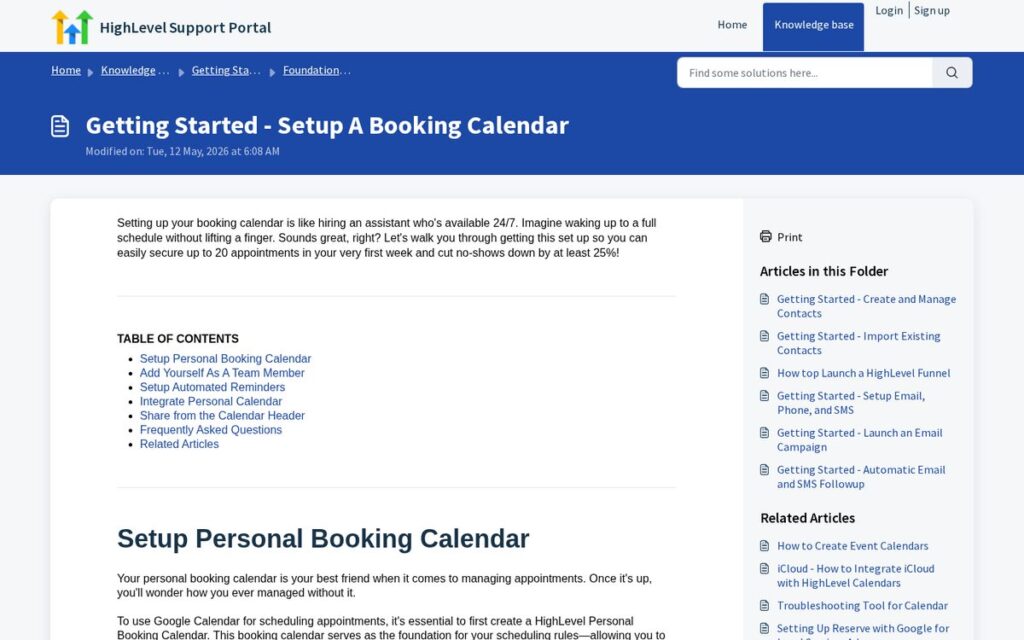
According to HighLevel’s help documentation, its calendar notifications can send in-app notifications and tailored emails, SMS and WhatsApp messages when appointments are booked, canceled, rescheduled, or need reminders or follow-ups. HighLevel’s booking calendar setup guide also covers adding automated reminders and connecting your personal calendar.
A simple reminder setup in a tool like HighLevel could look like this:
- Booking confirmation by email and SMS immediately.
- Reminder 24 hours before with a confirm and reschedule link.
- Reminder two hours before with directions or the video link.
- No-show follow-up message offering to rebook.
- Internal task for staff to call anyone still unconfirmed.
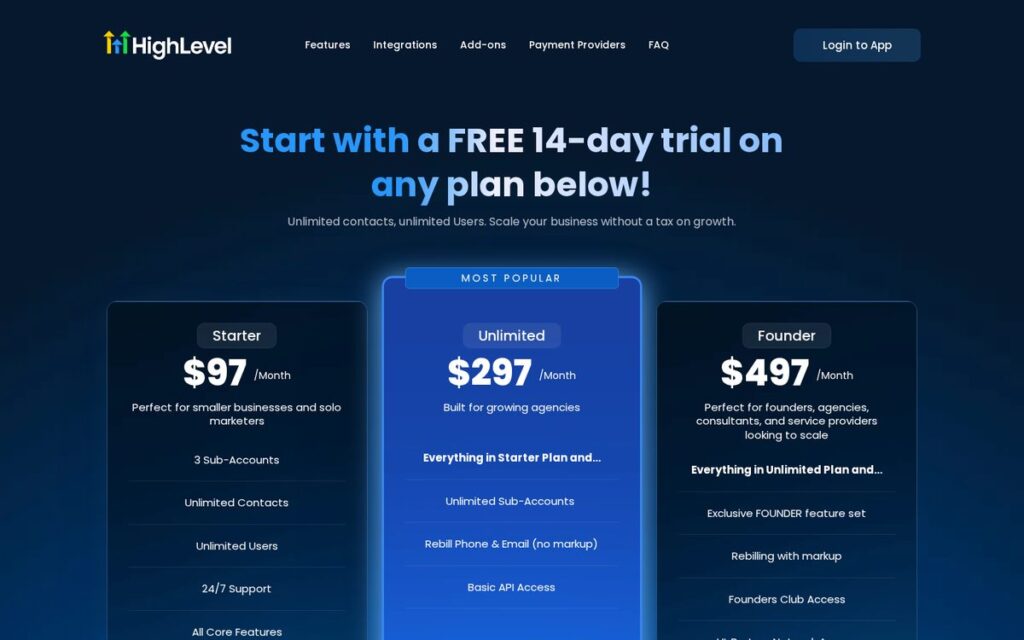
As of November 2026, HighLevel’s pricing page lists a 14-day free trial and three plans: Starter at $97/month, Unlimited at $297/month and Founder at $497/month. Usage-based charges apply for things like SMS, calls, email and AI features. Prices change; check the official pricing page.
Affiliate link — we may earn a commission.
Results vary by business, and automation helps support follow-up rather than replacing your front desk. For more on what automation can realistically take off your plate, read how much time HighLevel automation can save you.
A Note on Texting Consent
Appointment reminders by text should only go to people who agreed to receive them. Collect consent on your booking form, make it easy to opt out, and follow the rules that apply to your business and location. This is not legal advice; talk to a qualified professional if you are unsure.
Related guides
- Marketing Automation for Small Business: Where to Start
- How to Follow Up With Leads (Timing, Channels and Templates)
- SMS Marketing for Small Business: Rules, Ideas and Tools
Reduce No-Show Rates FAQ
What can help you lower your no-show rate?
Instant confirmations, text and email reminders, easy rescheduling, a clear cancellation policy and same-day follow-up after a miss. Studies on text reminders, like the pediatric clinic trial above, show reminders can make a measurable difference.
Can businesses legally charge a no-show fee?
Many businesses do, but the rules depend on your industry, location and how the policy was disclosed. Put the policy in writing before booking and check with a legal professional. This is not legal advice.
What is considered a high no-show rate?
It depends on the industry and appointment type. The best benchmark is your own history: track your rate monthly and work to bring it down. In the studies cited above, no-show rates in the control groups were well above what most businesses would accept.
How many appointment reminders should you send?
Two is a common starting point: one a day or two before and one a few hours before. Research such as the Kaiser Permanente study suggests a second text can lower no-shows further for higher-risk appointments.
Stop Losing Revenue to Empty Slots
If no-shows are eating into your schedule, the fix is usually a mix of better reminders, easier rescheduling and faster follow-up. Want help setting it up? get a free marketing audit or learn more about our AI automation solutions.

