

Marketing automation for small business means using software to send the right message at the right time without doing it by hand — a welcome email when someone joins your list, a text when a lead fills out a form, a reminder before an appointment. Start with two or three automations that save the most time, then add more once they work.
This guide explains what to automate first, which marketing automation tools for small business owners are worth a look, what they cost as of November 2026, and how to avoid the common mistakes.
What is marketing automation?
Marketing automation is a set of rules: “when this happens, do that.” A trigger (a form fill, a purchase, a booked call, a date) starts an action (send an email, send a text, add a tag, create a task, notify a team member). Strung together, these rules become workflows that nurture leads and customers in the background.
For a small business, the goal is not complexity. It is making sure no lead is forgotten and every customer hears from you at the right moments.
Where to start: 7 automations every small business should set up
- Instant lead reply. When someone fills out a form, send a confirmation email or text within seconds and notify your team.
- Welcome series. New subscribers get two or three emails introducing your business and your best offer.
- Appointment reminders. Confirmation, a reminder the day before and a reminder an hour before reduce no-shows.
- Missed-call text-back. If you miss a call, an automatic text asks how you can help (only where you have permission to text).
- Post-purchase follow-up. A thank-you, a feedback request and, later, a review request.
- Re-engagement. A check-in for leads or customers who have gone quiet.
- Internal tasks. Create a follow-up task for a salesperson when a lead reaches a certain stage.
These cover the moments where most small businesses lose people: the first reply, the gap before an appointment and the silence after a sale.
Marketing automation tools for small business
There are two broad types of tools:
- Email-first platforms such as Constant Contact, which focus on newsletters, sign-up forms and email automation, with extras like SMS and social tools.
- All-in-one platforms such as HighLevel, which combine CRM, pipelines, email, SMS, booking calendars, forms and workflow automation in one place.
- Connector tools such as Zapier, which link apps you already use when they do not talk to each other.
| Tool | Type | Starting price (as of November 2026) | Best for |
|---|---|---|---|
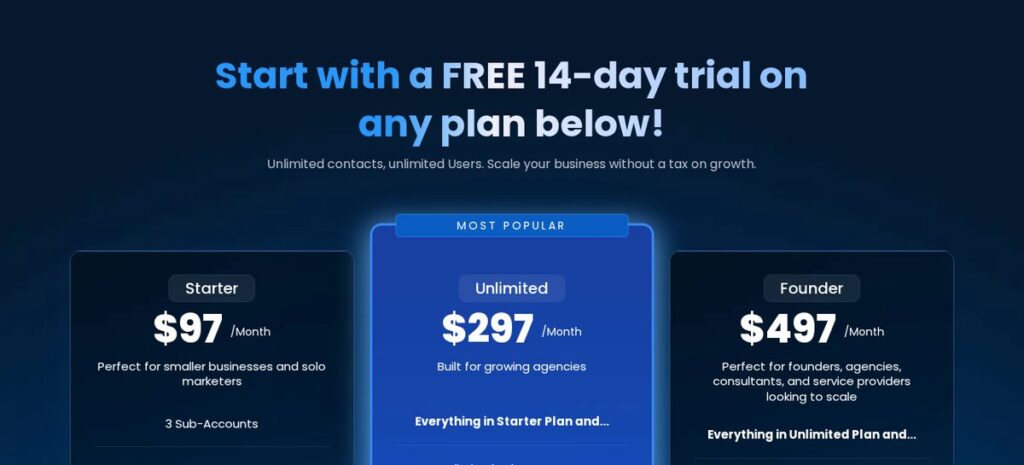
| HighLevel | All-in-one CRM and automation | Starter $97/Month; 14-day free trial; usage-based charges for SMS, calls, email and AI | Service businesses and agencies that want leads, follow-up and booking in one system |
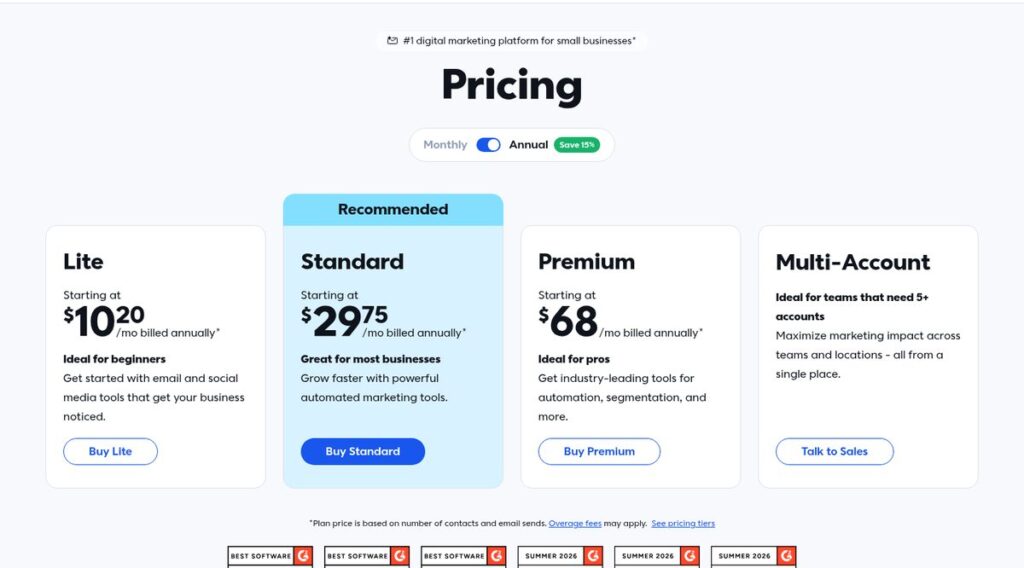
| Constant Contact | Email-first marketing platform | Lite from $10.20/mo, billed annually; price based on contacts | Businesses that mainly need email newsletters and simple automations |
| Zapier | App connector | Check current pricing on the official site | Linking tools you already use |
Prices change; check the official HighLevel pricing page and Constant Contact pricing page before you buy.
HighLevel
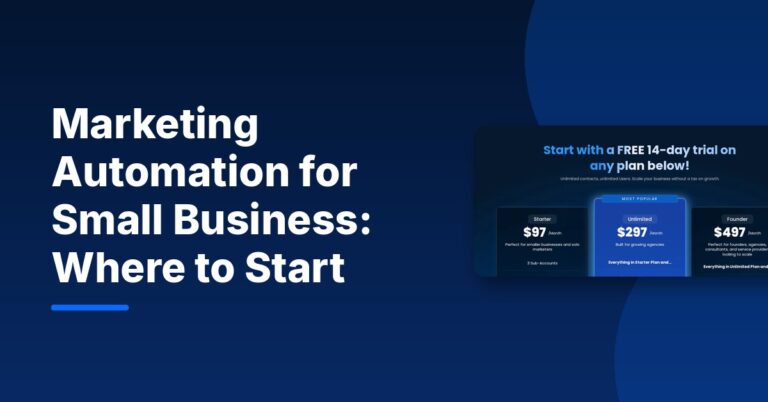
HighLevel’s pricing page lists workflow automation, CRM and pipelines, email and SMS marketing, booking calendars, forms and surveys among its core features, plus AI features such as Conversation AI. Plans are $97/Month (Starter), $297/Month (Unlimited) and $497/Month (Founder), with a 14-day free trial. Some features, including email and SMS, carry usage-based charges. For a comparison with another popular CRM, read GHL vs HubSpot.
Affiliate link — we may earn a commission.
Email automation for small business
Email automation for small business is often the easiest place to start because the setup is simple and the messages can be reused for years. Constant Contact’s pricing page describes its Standard plan as offering “powerful automated marketing tools” and Premium as adding tools for “automation, segmentation, and more.” As of November 2026 the plans start at $10.20/mo (Lite), $29.75/mo (Standard) and $68/mo (Premium), billed annually, with the price based on your number of contacts.
A good first email automation set: a welcome series, a birthday or anniversary email, a post-purchase follow-up and a win-back email for inactive customers.
Affiliate link — we may earn a commission.
Example: a simple lead-to-customer workflow
Here is what one complete workflow can look like for a local service business, such as a plumber or a med spa:
- Trigger: a visitor submits the “Request a quote” form on your website.
- Instant reply: the lead gets an email (and a text, if they opted in) confirming you received the request, with a link to book a call.
- Team alert: the owner or front desk gets a notification and a follow-up task.
- Nurture: if no call is booked within a day, a short email answers the most common question and repeats the booking link.
- Booking: once a call is booked, reminders go out the day before and an hour before.
- After the job: a thank-you message, then a review request a few days later.
- Long-term: the customer is tagged and added to your monthly newsletter and seasonal reminders.
Each step is simple on its own. Together, they make sure the lead hears from you quickly and keeps hearing from you until they become a customer — and after.
How much does marketing automation cost?
Costs depend on your list size, how many messages you send and whether you need CRM features. Email-first tools are usually priced by number of contacts. All-in-one platforms usually charge a monthly plan plus usage for things like texts, calls and AI. Add the time to set up workflows — or the cost of having someone build them — when you compare options.
Common marketing automation mistakes
- Automating too much at once. Launch one workflow, test it, then add the next.
- Sounding robotic. Write automated messages the way you would write to one customer.
- Ignoring consent. Only email or text people who have agreed to hear from you, and include an easy way to opt out.
- Never reviewing. Check open rates, replies and bookings monthly, and fix broken steps.
- No human handoff. When a lead replies, a person should pick it up quickly.
Curious how much time this can free up? See how much time HighLevel automation can save you.
Related guides
- HighLevel Workflow Examples: 10 Automations to Build First
- Lead Nurturing Strategy for Small Businesses: A Step-by-Step Plan
- Customer Retention Strategies for Small Businesses: 12 That Work
- How to Reduce No-Show Rates for Appointments: 12 Fixes
Marketing automation for small business FAQ
What is the best marketing automation software for small businesses?
It depends on your needs. If you mostly send newsletters, an email-first platform such as Constant Contact may be enough. If you want CRM, follow-up texts, booking and automation in one place, an all-in-one platform such as HighLevel is worth testing.
What are some good automations for small businesses?
Start with an instant reply to new leads, a welcome email series, appointment reminders, a post-purchase follow-up with a review request, and a re-engagement message for inactive customers.
How much does marketing automation cost?
As of November 2026, Constant Contact starts at $10.20/mo billed annually and HighLevel’s Starter plan is $97/Month plus usage-based charges. Your real cost depends on contacts, message volume and add-ons, so check current pricing on each official site.
Is marketing automation worth it for a small business?
For most businesses, yes — as long as you start small. A few well-built automations make sure every lead gets a fast reply and every customer gets follow-up, even on your busiest weeks.
Get your first automations running
If you want a clear plan for which workflows to build first — and help setting them up — get a free marketing audit or explore our AI automation solutions.

