

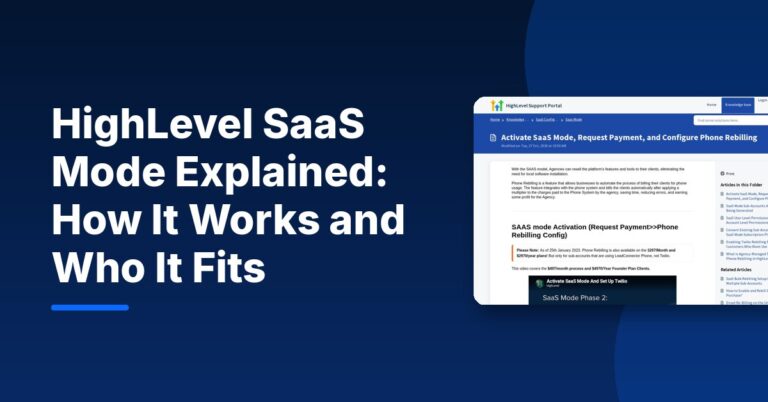
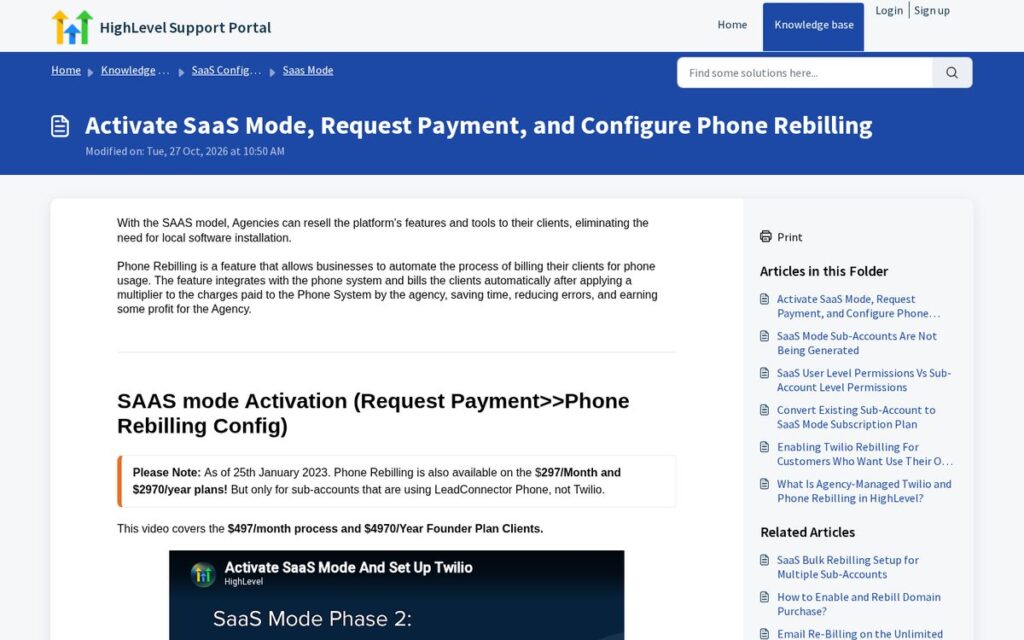
HighLevel SaaS mode lets an agency resell HighLevel’s software to its clients under its own plans and pricing. In HighLevel’s words, “with the SAAS model, Agencies can resell the platform’s features and tools to their clients,” and clients are billed automatically, including for phone usage, through rebilling (HighLevel help center). It is aimed at agencies on the $497/Month Founder plan, the only plan where rebilling with markup is available as of November 2026.
This guide explains how SaaS mode works, what it requires, how billing flows, and which agencies it actually fits. It describes features only, not income: whether reselling software works for you depends on the businesses you serve, your offer and your support capacity.
What Is HighLevel SaaS Mode?
Normally, an agency pays HighLevel and gives clients access to their own sub-account as part of a service. SaaS mode turns that access into a product: you create plans, the client pays you through your connected payment account, their sub-account is created or activated, and usage such as phone and messaging can be rebilled to the client automatically.
- Plans you define: you set what each client plan includes and what it costs.
- Automated billing: client subscriptions run through your connected payment setup.
- Rebilling: usage charges (for example phone and SMS) are passed to the client’s wallet, with a multiplier on Founder.
- Automated onboarding: new users get a welcome email (HighLevel’s FAQ says the default subject is “Activate your account”).
Which HighLevel Plan Do You Need for SaaS Mode?
As of November 2026, the HighLevel pricing page shows:
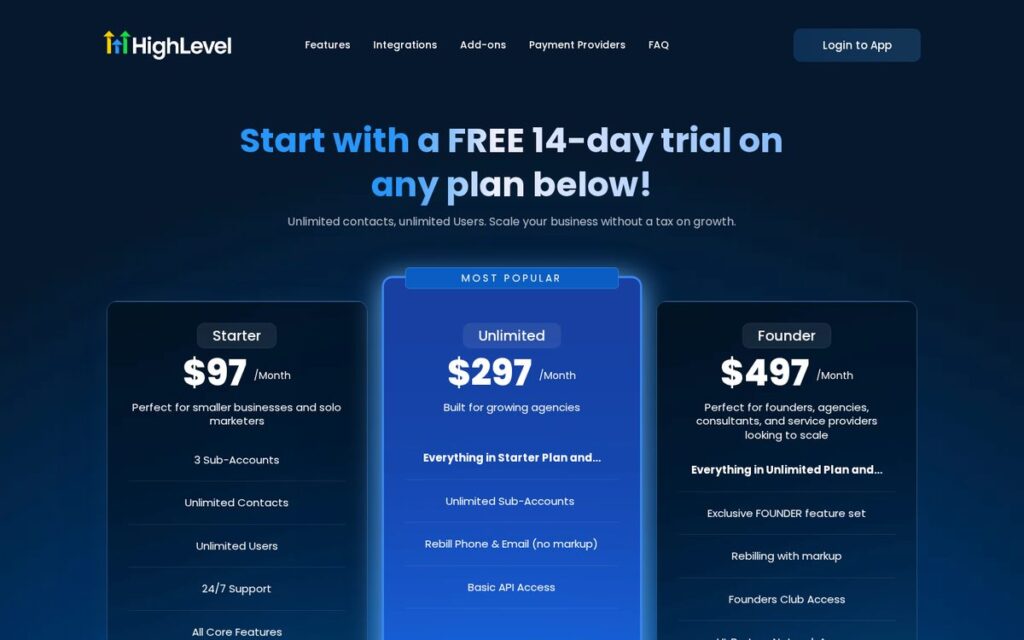
| Plan | Price (Nov 2026) | Rebilling | Fit for SaaS |
|---|---|---|---|
| Starter | $97/Month | Not listed | Not for reselling |
| Unlimited | $297/Month | Rebill phone and email at cost (no markup) | Pass-through of usage costs only |
| Founder | $497/Month | Rebilling with markup | The plan HighLevel’s SaaS setup guide is written for |
HighLevel’s Pricing Guide confirms that rebilling without markup is available on the $297 and $497 plans, and rebilling with markup only on the $497 plan. Prices change; check the official pricing page.
Affiliate link — we may earn a commission.
How SaaS Mode Works Step by Step
Based on HighLevel’s help articles, the setup follows this order:
- Connect Stripe to your agency account (HighLevel’s SaaS guide asks for this before you start).
- Choose a billing architecture. HighLevel supports SaaS V1, which uses Stripe as the system of record, and SaaS V2, which uses an Agency Sub-Account and can support multiple payment providers. HighLevel notes V2 is not an upgrade of V1; they are separate and can run side by side.
- Build your plans in the SaaS Configurator, including which features each plan unlocks and the custom values for welcome emails.
- Activate SaaS for a sub-account or let a purchase create one. HighLevel’s FAQ notes that purchases through funnels or sale links create a new sub-account automatically.
- Request payment details from the client by link, SMS or email, or connect an existing Stripe customer.
- Configure rebilling for phone and other usage, including the multiplier on Founder.
SaaS V1 vs SaaS V2 at a Glance
HighLevel currently supports two SaaS billing architectures. This table summarizes the differences listed in its SaaS V1 vs SaaS V2 article (updated September 2026):
| Area | SaaS V1 | SaaS V2 |
|---|---|---|
| System of record | Stripe | A selected Agency Sub-Account |
| Where products are managed | In Stripe | In HighLevel, through the Agency Sub-Account |
| Payment providers | Stripe | Multiple supported payment providers |
| Plan-change proration | Available through supported V1/Stripe workflows | Not supported |
| Monthly to annual changes | Handled through supported V1/Stripe workflows | Supported as part of a qualifying upgrade or downgrade |
The practical takeaway: if you already run client billing in Stripe and rely on proration, V1 may feel familiar. If you want to use a payment provider other than Stripe, V2 is the architecture built for that. Because they can operate side by side, an agency can keep existing V1 clients while setting up new ones on V2. Decide before onboarding your first SaaS client, since moving a live subscription later adds work.
Rebilling Explained
Rebilling means the client pays for the messages and calls their account uses. HighLevel’s SaaS and phone rebilling article explains that phone rebilling applies a multiplier to the charges the agency pays, and that on the $297 Unlimited plan rebilling only works for sub-accounts on HighLevel’s own phone system (LC Phone), not Twilio, and without markup.
HighLevel’s Pricing Guide also says LC Phone pricing matches Twilio’s and that email usage costs $0.675 per 1,000 emails across plans (as of November 2026). Knowing your real cost per message is the starting point for any rebilling multiplier.
Things to Know Before You Turn On SaaS Mode
- Disabling SaaS has consequences. HighLevel’s SaaS FAQ says that when SaaS is disabled for a sub-account, the subscription is cancelled, the wallet is permanently deleted and the agency handles refunds manually.
- Cards and customers must map correctly. The FAQ lists issues such as several sub-accounts sharing one Stripe customer, and fixes for each.
- Some cards fail auto-recharge. The FAQ notes auto-recharge does not support 3DS-only cards.
- You are the support desk. Clients will come to you with questions about features, billing and messaging.
- Compliance is your job too. Texting and calling rules apply to every message sent from client accounts; this is not legal advice, so get proper advice for your market.
Who Should Use HighLevel SaaS Mode?
| Good fit | Probably not yet |
|---|---|
| Agencies with a defined niche and a repeatable setup (often delivered with snapshots) | Agencies still figuring out their core service |
| Teams that can handle onboarding and support | Solo operators with no time for client support |
| Agencies already managing many sub-accounts | Businesses using HighLevel only for themselves |
| Offers where software is part of an ongoing service | One-off website or ad projects |
If you are earlier in the journey, Unlimited may be enough: unlimited sub-accounts plus rebilling at cost. Our HighLevel review and GHL vs HubSpot for agencies cover the broader platform choice.
Tips for a Clean SaaS Setup
- Start with one plan and one niche before building a menu of tiers.
- Load a tested snapshot into every new SaaS sub-account so clients start with working workflows.
- Write your own welcome email in the SaaS Configurator instead of relying on the default.
- Test the full purchase flow in a test account before your first real client.
- Document what happens when a client cancels, given that disabling SaaS deletes the wallet.
Affiliate link — we may earn a commission.
Related guides
- HighLevel Pricing 2026: Plans, Usage Costs and Which One to Pick
- What Is HighLevel? What It Does and Who It Fits (2026)
- HighLevel Free Trial: How It Works and What to Set Up First
HighLevel SaaS Mode FAQ
What is SaaS mode on HighLevel?
It is the feature set that lets agencies resell HighLevel to clients under their own plans, with automated billing, onboarding and usage rebilling.
Which plan includes SaaS mode?
HighLevel’s SaaS setup guide is written for the $497/Month Founder plan, which is also the only plan with rebilling at markup. The $297/Month Unlimited plan supports rebilling phone and email at cost.
Do I need Stripe for SaaS mode?
SaaS V1 uses Stripe as the system of record. SaaS V2 uses an Agency Sub-Account and can support multiple payment providers, according to HighLevel’s help center.
What happens if I disable SaaS for a client?
Per HighLevel’s SaaS FAQ, the subscription is cancelled, the wallet is permanently deleted, and the agency handles any refunds manually.
Thinking About Offering Software to Clients?
Before you build plans, make sure the service around them is solid. Get a free marketing audit from ScaleMyClick, and talk to us about AI automation setups you could deliver to clients.

